
Music, moderation and server management — one TeamSpeak bot.
Frix plays YouTube, live streams, radio and your own files, keeps your server tidy, greets and ranks your users and runs your own automations — all from a modern web panel. No TeamSpeak client, VLC or virtual audio cable needed.
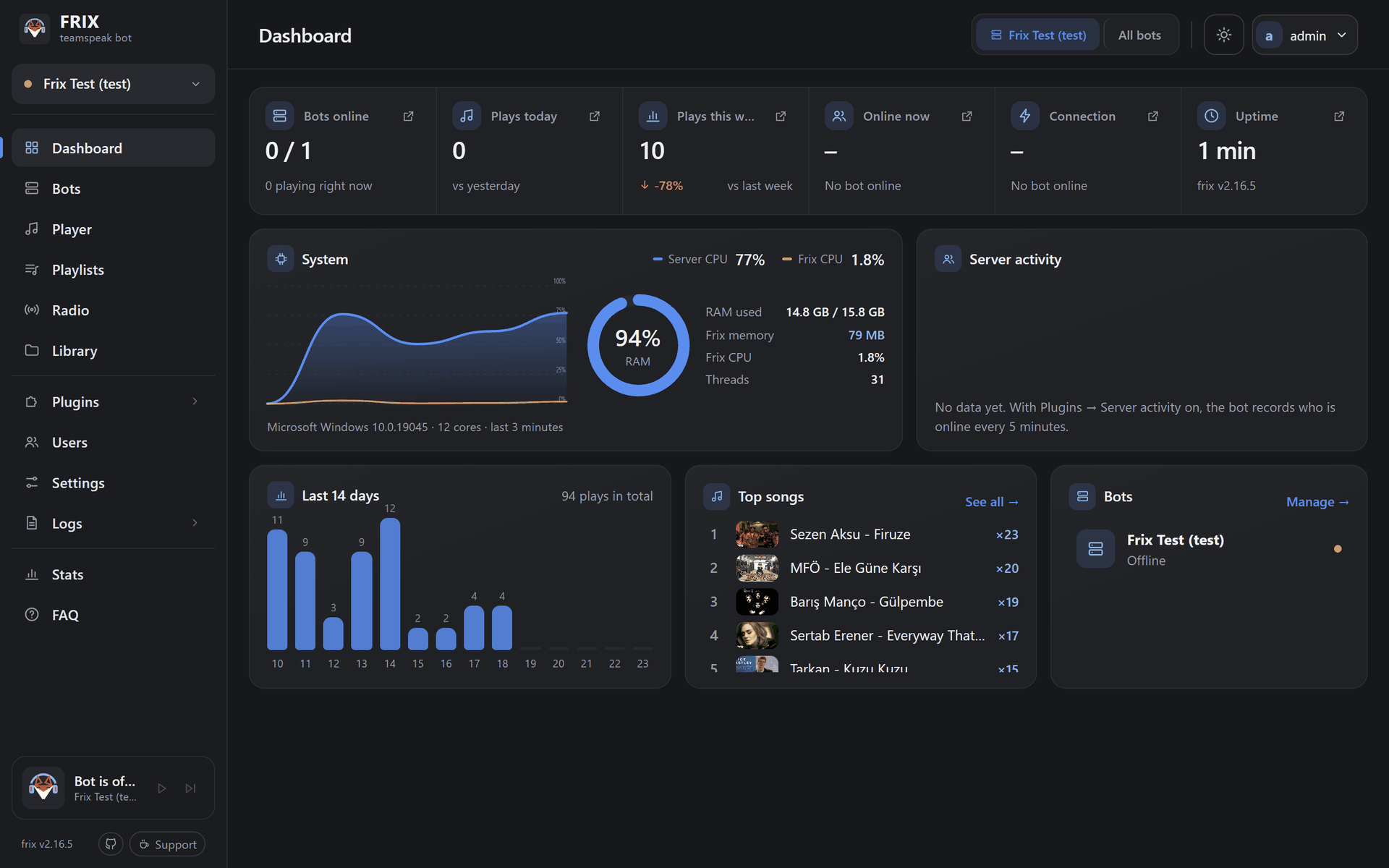
More than a music bot
Ten plugins, each switched on per bot, with every feature as its own card. Turn on only what your server needs.
Music & radio
- YouTube search, links and live streams through yt-dlp
- Internet radios with
.m3uimport - Your own music library, uploaded in the panel
- Playlists, favourites, autoplay, vote skip, DJ mode
Moderation
- AFK mover and nickname filter
- Channel guard and anti-flood
- Registration bot and support notifier
- Temporary channels for your users
Community
- Welcome messages and scheduled announcements
- Activity ranks by time spent on the server
- Channel names with live counters and records
- Polls with live percentages, dice, weather, currency
Automation
- JavaScript scripts: your own commands and event handlers
- Visual scheduled playback planner
- Custom commands and renamable built-ins
- Every reply editable with a BBCode editor, 9 languages
Web panel
- Dashboard: CPU, RAM, plays, who is online
- Connection status with ping and packet loss
- Users and roles: admin, DJ, viewer
- Backup & restore, one-click updates
Runs anywhere
- Windows tray app with watchdog
- Linux installer with a systemd service
- Docker image for amd64 and arm64
- Ready-made Pterodactyl egg
A panel you will actually enjoy
Dark and light themes, works on phones, no page scrolling on desktop.
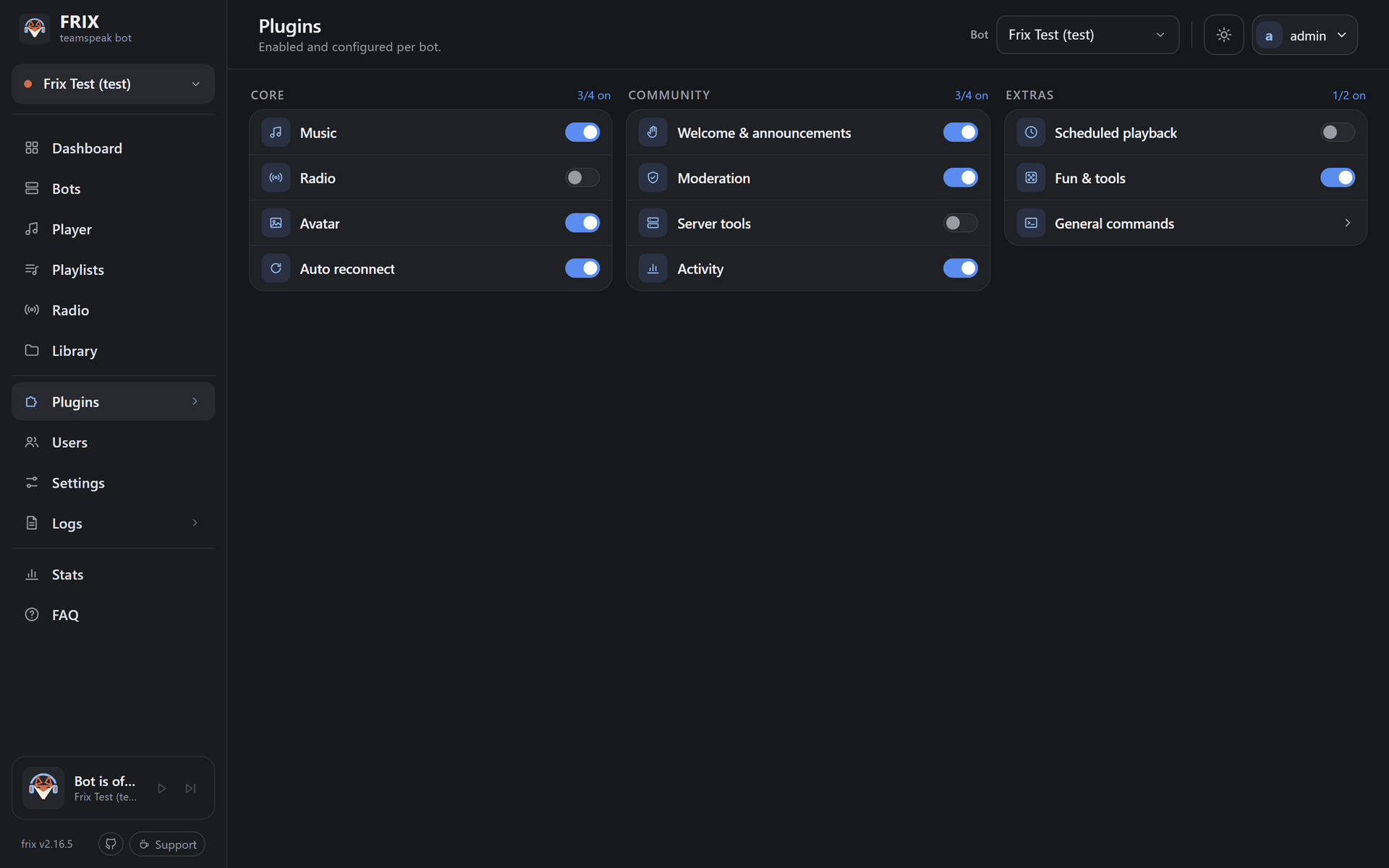 Click to enlarge
Up and running in a few minutes
After the first start, open the panel, create your admin account and add a bot with your TeamSpeak server address.
- Download
Frix-win-x64.zipfrom the latest release and extract it, for example toC:\Frix. - Run
Frix.exe— the fox icon appears in the system tray. - Open http://localhost:58913 and create your admin account.
- Go to Bots → New bot, enter your server address and start it.
Frix starts with Windows and restarts the bot if it ever crashes.
wget https://github.com/lyusufdeniz/frix-teamspeak-bot/releases/latest/download/Frix-linux-x64.zip
unzip Frix-linux-x64.zip && cd Frix-linux-x64
sudo bash install.sh
The installer adds ffmpeg and libopus, creates a systemd service and prints the panel address and the one-time setup code. Debian/Ubuntu, Fedora, Arch and Alpine are supported; an arm64 build is available too.
docker run -d --name frix --restart unless-stopped \
  -p 58913:58913 -v frix-data:/data \
  ghcr.io/lyusufdeniz/frix:latest
All data lives in the frix-data volume. A docker-compose.yml is included; set FRIX_WEB_PORT to change the panel port.
- Download egg-frix.json.
- In Pterodactyl: Admin → Nests → Import Egg.
- Create a server with the Frix egg — the panel opens on the server's primary port.
Reinstalling the server updates Frix and keeps your data.
Simple chat commands
Command names follow the panel language — Turkish names in Turkish, English names in every other language — and every name can be renamed in the panel.